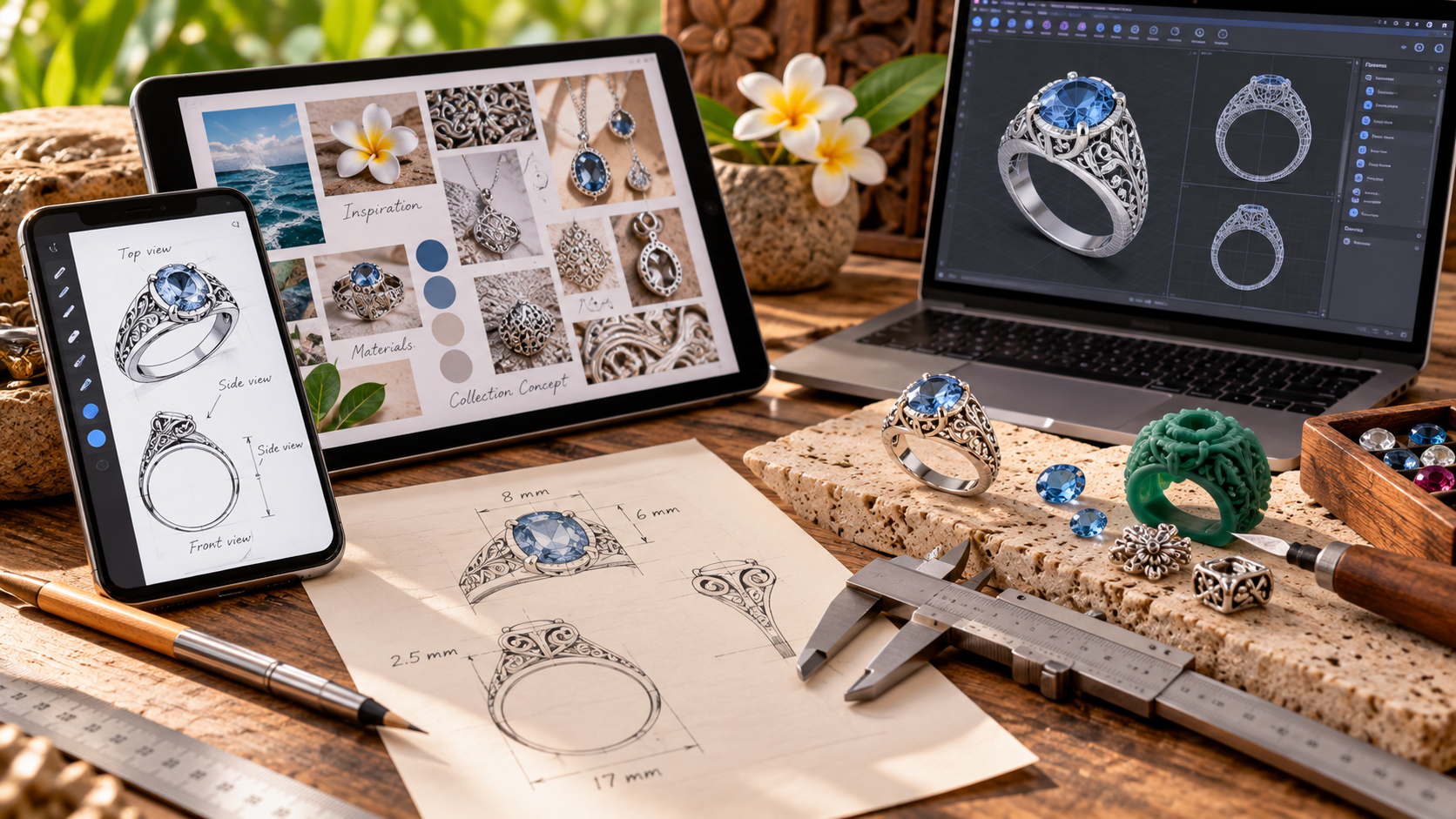
You do not need expensive software to start designing jewelry. Today, several free jewelry design tools can help you develop creative ideas, prepare sketches, and explore three-dimensional shapes.
Whether you are an independent designer or a beginner, these tools can make the early design process easier.
Moreover, smartphones and tablets allow you to work on jewelry concepts almost anywhere. You can sketch a ring, create a mood board, or generate visual inspiration without visiting a design studio.
However, a beautiful image is not always a production-ready design.
In this guide, we explore useful jewelry design applications in 2026. We also explain how to prepare your ideas for a jewelry manufacturer.
1. Sketchbook: Best for Hand-Drawn Jewelry Designs
Best for: Beginners, illustrators, and designers who prefer drawing by hand.
Sketchbook offers digital drawing tools for mobile devices. Its brushes, layers, and drawing guides help users create detailed sketches.
For example, you can draw a ring from the top and side. Then, you can add gemstone positions, decorative details, and notes.
Furthermore, layers allow you to explore different design variations without starting again.
Advantages
- Suitable for freehand jewelry sketches
- Available for smartphones and tablets
- Includes useful drawing and editing tools
- Supports visual communication with manufacturers
Limitations
Sketchbook does not automatically create a manufacturing-ready 3D model. Therefore, technical development may still be necessary.
The mobile application offers free functionality, while some additional features require payment.
2. Canva: Best for Jewelry Mood Boards
Best for: Jewelry concepts, presentations, and collection planning.
Canva is a graphic design platform with templates, images, and layout tools.
Although it is not specialized jewelry CAD software, it can help designers organize their ideas.
For instance, you can combine gemstone photographs, metal finishes, reference jewelry, and color palettes on one page.
As a result, your manufacturer can better understand the intended appearance of a collection.
Advantages
- Easy to use for beginners
- Free plan available
- Useful for visual presentations
- Supports images, notes, and reference layouts
Limitations
Canva does not calculate metal thickness, ring dimensions, or gemstone setting requirements.
Therefore, use it for concept development rather than technical jewelry modeling.
3. AI Image Generators: Best for Exploring New Ideas
Best for: Visual inspiration and early-stage design concepts.
AI image generators can create jewelry illustrations from written descriptions.
For example, you might enter:
Create a sterling silver signet ring with a rectangular blue gemstone, organic side textures, and a high-polish finish. Show the ring from three angles against a white background.
Within a short time, an AI tool may produce several visual interpretations.
Moreover, you can refine the prompt to explore different materials, shapes, and decorative elements.
Advantages
AI can help users explore ideas without advanced drawing skills. It is also useful for discussing design directions with customers.
Limitations
AI-generated jewelry images may contain unrealistic details.
For instance, a ring may have an impractical gemstone setting or inconsistent proportions between views.
In addition, AI images do not normally provide reliable dimensions or manufacturing instructions.
Therefore, a jeweler must review the design before production.
Free access and usage limits vary between AI services. Always check the current terms.
4. Tinkercad: Best for Simple 3D Jewelry Models
Best for: Beginners learning basic 3D modeling.
Tinkercad is a free web-based 3D design application developed by Autodesk.
Users can combine basic geometric shapes to create simple models.
For example, you can experiment with a pendant, geometric ring, or basic charm.
Furthermore, Tinkercad introduces important concepts such as dimensions, alignment, and three-dimensional construction.
Advantages
- Free web-based application
- Suitable for basic 3D modeling
- Helpful for understanding dimensions
- Useful for simple geometric jewelry concepts
Limitations
Tinkercad is not specialized jewelry manufacturing software.
Complex stone settings, organic sculpting, and professional production workflows may require more advanced tools.
Nevertheless, it provides a useful starting point for learning 3D design.
5. Blender: Best for Advanced Free 3D Design
Best for: Designers willing to learn more advanced modeling techniques.
Blender is free, open-source 3D creation software.
It includes modeling, sculpting, and rendering tools. Consequently, users can create detailed jewelry shapes and realistic product visualizations.
For example, a designer can develop a sculptural pendant or experiment with organic ring surfaces.
Blender also supports complex forms that may be difficult to create using basic geometric tools.
Advantages
- Free and open source
- Powerful 3D modeling capabilities
- Useful for sculptural jewelry concepts
- Supports detailed product visualization
Limitations
Blender requires time and practice.
Moreover, jewelry manufacturing requires accurate dimensions, appropriate wall thickness, and suitable model geometry.
A visually attractive Blender model may still need technical adjustments before casting or 3D printing.
Therefore, beginners should start with simple projects.
6. Which Free Jewelry Design Tool Should You Choose?
Different tools serve different purposes.
| Tool | Best Use | Free Option | Technical CAD |
|---|---|---|---|
| Sketchbook | Hand-drawn concepts | Yes, with optional purchases | No |
| Canva | Mood boards and presentations | Yes | No |
| AI image generators | Visual inspiration | Depends on service | No |
| Tinkercad | Basic 3D models | Yes | Basic 3D modeling |
| Blender | Advanced 3D modeling | Yes | Possible with suitable workflows |
For beginners, Sketchbook and Canva are practical starting points.
Meanwhile, Tinkercad can help users understand three-dimensional design.
Blender offers greater flexibility, although its learning curve is steeper.
7. How to Design Jewelry Using Only Your Smartphone
You can begin developing a jewelry collection without professional CAD software.
However, the process works best when you organize your ideas clearly.
Step 1: Choose Your Jewelry Type
Start with a ring, pendant, bracelet, or pair of earrings.
Next, decide whether you prefer minimalist, traditional, sculptural, or gemstone-focused designs.
Step 2: Collect References
Use photographs, sketches, and examples to explain your preferred style.
For instance, you might collect references showing a particular ring shape and surface texture.
However, avoid copying another designer’s protected work.
Step 3: Create a Sketch
Open a drawing application and sketch your idea.
Try to show more than one angle.
For a ring, include the front, side, and top views whenever possible.
Step 4: Add Measurements
Measurements help manufacturers understand the design.
For example, specify the ring size, band width, gemstone dimensions, and overall height.
Even approximate measurements provide a better starting point than images alone.
Step 5: Choose Materials
Decide whether the jewelry should use sterling silver, brass, gold, or another suitable material.
In addition, identify any gemstones, pearls, or decorative components.
Step 6: Share the Design
Export your sketches as image files or PDFs.
Then, send them to a manufacturer with your measurements and material preferences.
The workshop can review the design and explain which technical details require further development.
8. Why AI Jewelry Designs Need Technical Review
AI can produce attractive jewelry images. However, manufacturing requires more than appearance.
A ring must fit the intended finger size. Similarly, a pendant needs a secure connection for its chain.
Gemstone settings must also hold stones safely.
In addition, the metal must have sufficient thickness for the chosen manufacturing process.
For example, a very thin decorative element may look beautiful in an AI illustration. Nevertheless, it could be too fragile for practical use.
Therefore, manufacturers may need to modify certain details.
These changes help turn creative ideas into functional jewelry.
9. From Sketch to Finished Jewelry
Once a manufacturer receives your design, several production stages may follow.
First, the workshop evaluates the design and its technical requirements.
Next, the team may prepare a CAD model or hand-carved wax pattern.
After approval, the manufacturer can produce a sample or proceed with the agreed production method.
For cast jewelry, production may include mold making, wax preparation, casting, and cleaning.
Finally, artisans complete assembly, gemstone setting, polishing, and quality control.
The exact workflow depends on the design.
10. What Should You Send to a Jewelry Manufacturer?
A clear design brief can reduce misunderstandings.
Whenever possible, include:
- Jewelry type and reference images
- Front, side, and back views
- Main dimensions in millimeters
- Ring size or bracelet dimensions
- Preferred metal and finish
- Gemstone type and dimensions
- Estimated order quantity
- Target weight or budget, if available
- Any special construction requirements
You do not need to provide every technical detail immediately.
However, more complete information usually helps the manufacturer evaluate the project.
11. Custom Jewelry Design and Manufacturing in Bali
At PT Puri Lautan Mutiara (PLM Bali), we have worked in jewelry manufacturing since 1998.
Our small workshop produces custom sterling silver, brass, and gold jewelry for international designers, retailers, and brands.
We can review sketches, reference photographs, technical drawings, and CAD files.
Depending on the project, our manufacturing services include:
- CAD design support and 3D printing
- Hand-carved wax models
- Mold making and lost-wax casting
- Soldering and assembly
- Gemstone setting
- Polishing and oxidized finishing
- Gold plating and rhodium plating
- Laser engraving
Our typical minimum order quantity starts at approximately 5–10 pieces per style or size, depending on the design.
For many standard custom orders, production generally takes around 4–6 weeks after the necessary approvals and arrangements are completed.
However, complex designs may require additional development time.
We evaluate each inquiry individually and explain what our workshop can reasonably produce.
Frequently Asked Questions
Can I design jewelry for free?
Yes. Several applications offer free drawing or 3D modeling tools. However, advanced features and specialized manufacturing software may require payment.
Can I design jewelry on my phone?
Yes. Mobile drawing and presentation apps can help you prepare sketches and visual concepts. However, detailed CAD development may be easier on a computer.
Can AI create jewelry designs?
AI can generate visual concepts and inspiration. Nevertheless, the results usually require technical review before manufacturing.
Do I need CAD software to start a jewelry brand?
No. Many manufacturers can evaluate clear sketches and reference images. However, CAD models may become necessary during product development.
Can I send a jewelry sketch to a manufacturer in Bali?
Yes. Workshops offering custom manufacturing can review sketches, images, and technical specifications to determine production feasibility.
Conclusion
Free jewelry design tools make it easier to explore creative ideas.
Sketchbook supports hand drawing, while Canva helps organize visual references. Meanwhile, Tinkercad and Blender provide opportunities to explore 3D modeling.
AI image generators can also help designers visualize new concepts.
However, successful jewelry production requires accurate dimensions, suitable materials, and practical construction.
Therefore, the best approach combines creativity with technical review.
If you have a jewelry design that you would like to develop, we welcome your inquiry.
Contact PLM Bali for Custom Jewelry Manufacturing
PT Puri Lautan Mutiara — Bali Jewelry Manufacturer Since 1998.